
You can download Veyra NRVideo latest release for Windows 11 with NVIDIA and AMD GPU support. Get the latest video enhancer featuring AI video upscaling, frame generation, HDR support, noise reduction, OBS integration, recording, and streaming features.
Table of Contents
So, if you are looking for a powerful video processing and streaming tool with real-time upscaling, frame generation, HDR support and live translation? Veyra NRVideo latest version is worth checking out.
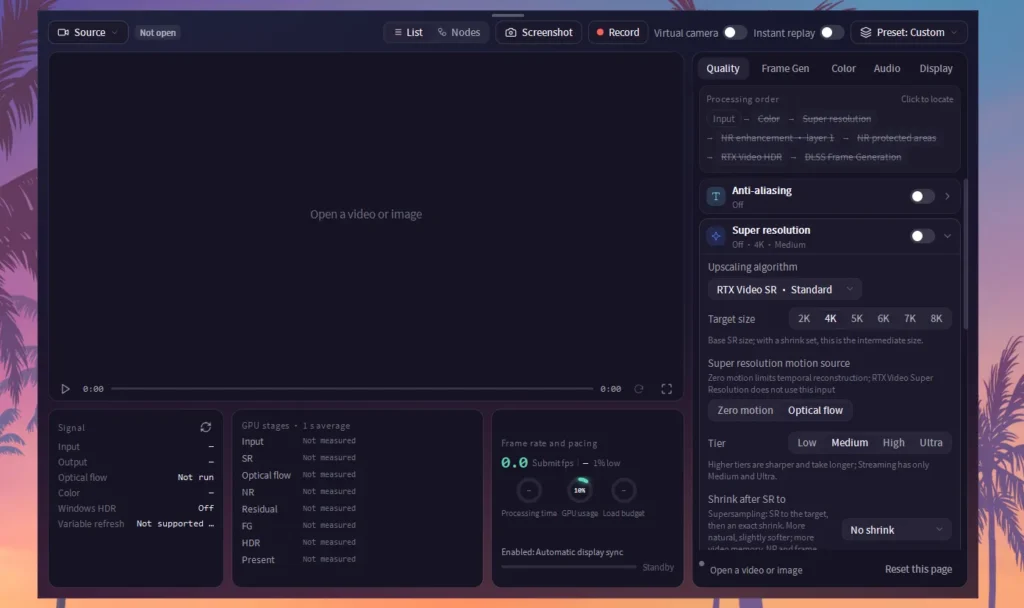
Veyra is a Windows application designed for video processing, capture, streaming and playback enhancement. It brings several useful features together, including AI-assisted frame generation, advanced image scaling, noise reduction, HDR processing, recording tools and virtual camera support.
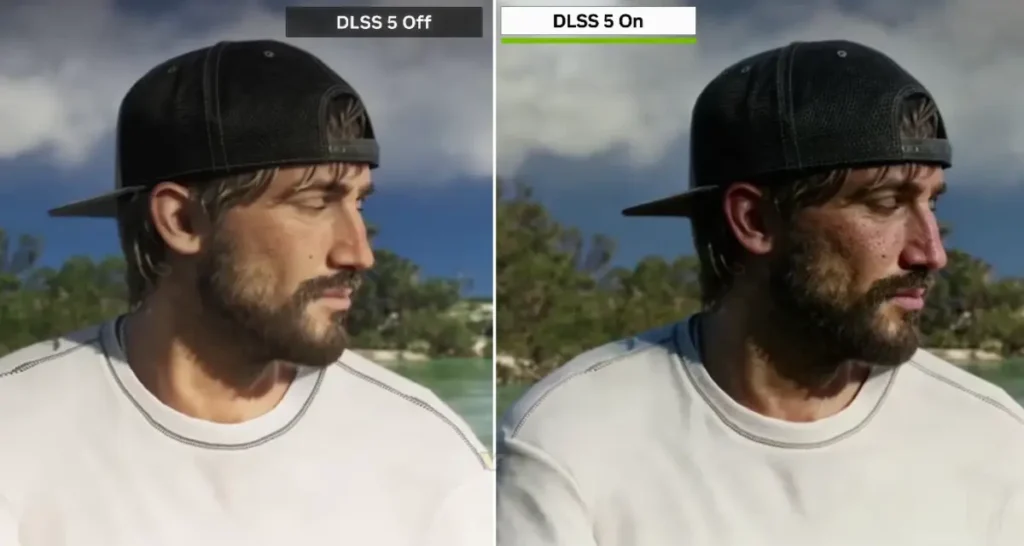
The latest version, Veyra latest, introduces a range of improvements to video quality, capture stability, streaming, recording and real-time translation. It also includes dedicated download packages for NVIDIA and AMD graphics cards.
If you’re capturing gameplay, streaming console footage, improving video playback or experimenting with frame generation, Veyra offers plenty of features to explore.
You may like: Hell Is Us 100% Completed Save Games
What Is Veyra NRVideo?
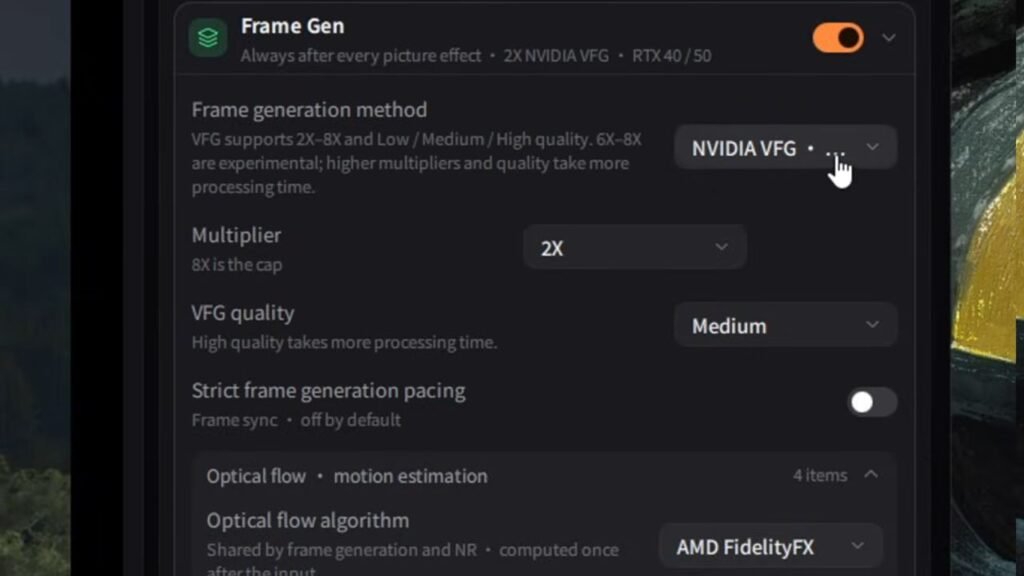
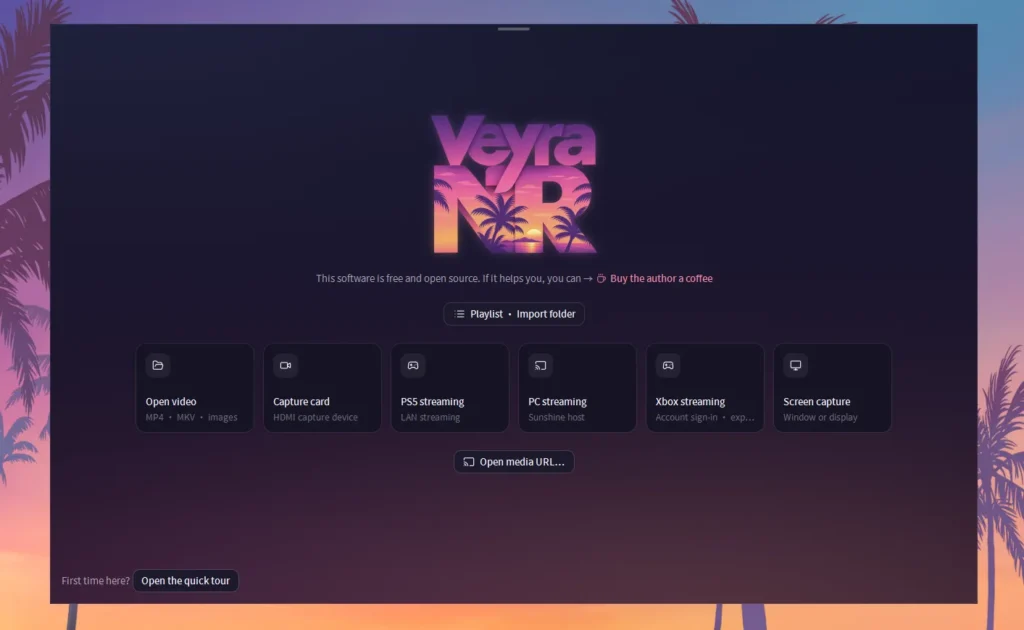
Veyra NRVideo is a video processing and capture application for Windows. It provides tools for enhancing video quality, managing different capture sources, generating additional frames and streaming content.
The software is particularly interesting for gamers and content creators who want more control over their video output without relying on several separate applications.
Some of its main capabilities include:
- Video upscaling and image enhancement.
- Frame generation and frame pacing improvements.
- Noise reduction and video processing.
- HDR and SDR colour handling.
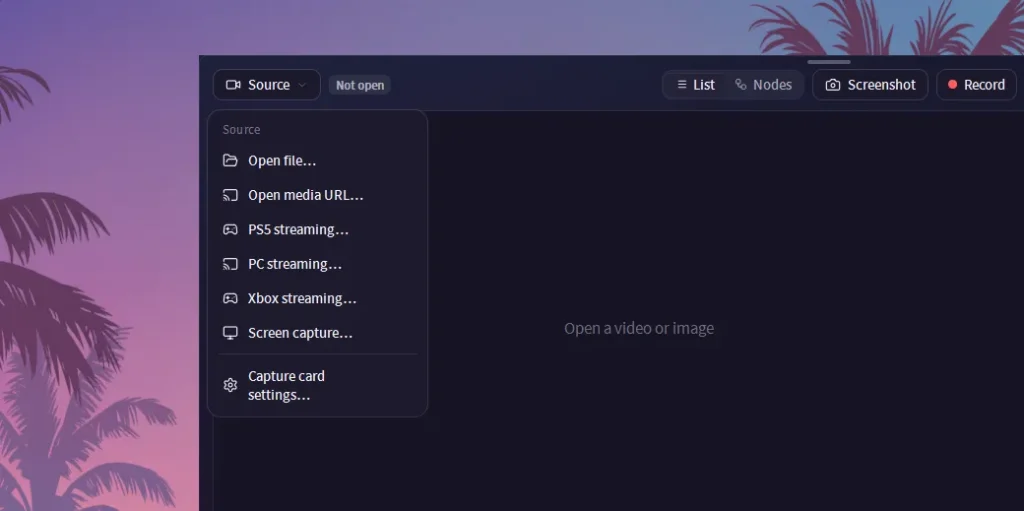
- Screen and window capture.
- Video recording and export.
- Real-time subtitle translation.
- OBS virtual camera integration.
- PS5 and Xbox streaming support.
Veyra also includes advanced settings for users who want to fine-tune their capture formats, processing options and display output.
You may like: How to Check System Information on Windows
What’s New
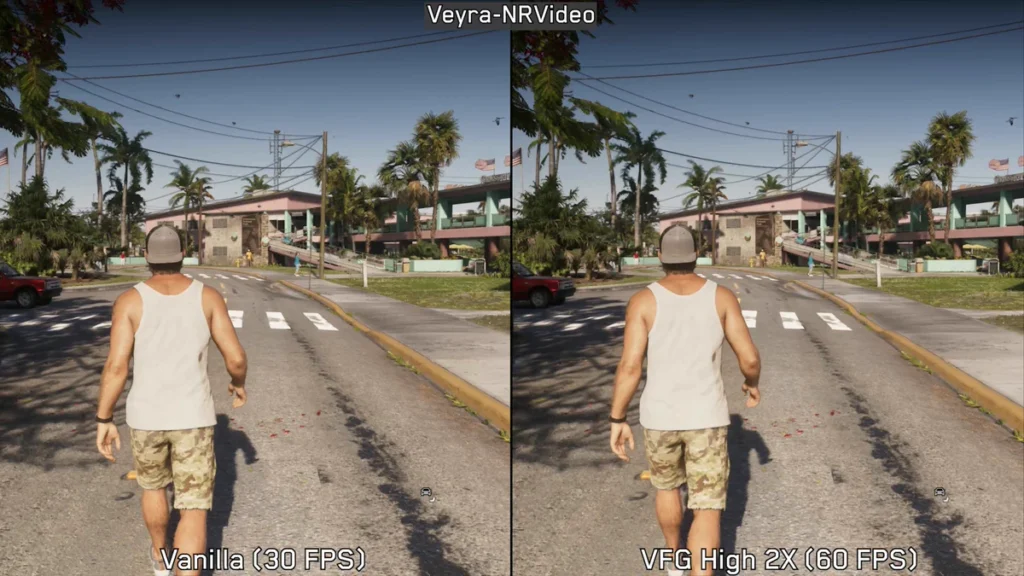
Veyra latest version brings several improvements across the application. This release focuses on better image quality, smoother capture, improved streaming reliability and additional features for content creators.
Here are some of the major changes.
1. Improved Video Upscaling and Image Quality
One of the biggest improvements in the latest version is its refined display scaling. The updated scaling system uses higher-quality interpolation when enlarging video and more detailed sampling when reducing resolution.
This helps preserve fine details, text and HUD elements while reducing unwanted jagged edges and flickering. The update also improves HDR highlight handling and maintains pixel-perfect output when using 1:1 scaling.
2. Frame Generation Improvements
Veyra introduces improvements to frame generation and frame pacing. Users can enable optional HUD locking, frame pacing repair and adaptive frame generation multipliers. Adaptive scaling can adjust the generation multiplier according to the content frame rate and display target.
The update also improves duplicate-frame detection and fixes several issues involving output limits and NVIDIA RTX 30-series CUDA caching.
3. Better HDR and Colour Processing
The latest release improves colour handling across different capture devices and video formats. It includes fixes for PS5 SDR output, improved HDR10 metadata handling and expanded Dolby Vision support.
There are also improvements to HEVC and AV1 decoding, including hardware decoding and software fallback handling. These changes should make video processing more reliable across different sources and display configurations.
4. Screen Recording and Capture Improvements
Veyra brings several useful additions for recording and capturing content. You can now preview and crop screen or window captures by dragging the selection area. Recording also supports automatic splitting based on duration, file size or whichever condition is reached first.
Other improvements include:
- Better capture audio synchronisation.
- Smoother audio volume adjustment.
- NVIDIA NVENC multipass encoding options.
- Psycho-visual encoding tuning.
- Improved DirectShow capture compatibility.
- Better HDR detection for Elgato 4K X.
- More reliable recording recovery.
These features make Veyra a useful option for people who regularly record gameplay or other video content.
5. Real-Time Subtitle Translation
Another interesting addition is the built-in real-time translation feature. Veyra can use Windows 11 Live Captions to recognise spoken audio and display translated subtitles in its preview. You can choose between different translation engines:
- Local Qwen2.5 1.5B Q4 model.
- Custom OpenAI-compatible APIs.
- MyMemory translation service.
The local translation model and its CPU runtime require approximately 1.14 GB of downloaded data. Cloud translation is optional, and API keys are used for the current application session.
6. OBS Virtual Camera Support
Veyra also adds a virtual camera feature that works with OBS. You can open the virtual camera from the recording toolbar and select Veyra Virtual Camera as a video capture device inside OBS.
It outputs the processed video rather than simply mirroring the Veyra application window. The output resolution can be configured independently, with options to follow the consumer frame rate or use a 30, 60 or 120 FPS limit.
This is particularly useful if you want to apply Veyra’s video processing before sending footage to your streaming software.
7. Improved PS5 and Xbox Streaming
The latest update also includes fixes for console streaming. PS5 streaming receives improvements to controller input handling, frame queues and DualSense feedback.
Xbox streaming now handles damaged H.264 frames more reliably and can recover playback from a keyframe. There are also improvements to audio timing and playback synchronisation. Moonlight connection handling and video export reliability have also been improved.
You may like: 2 Important Software to Play Games
Veyra NRVideo Features
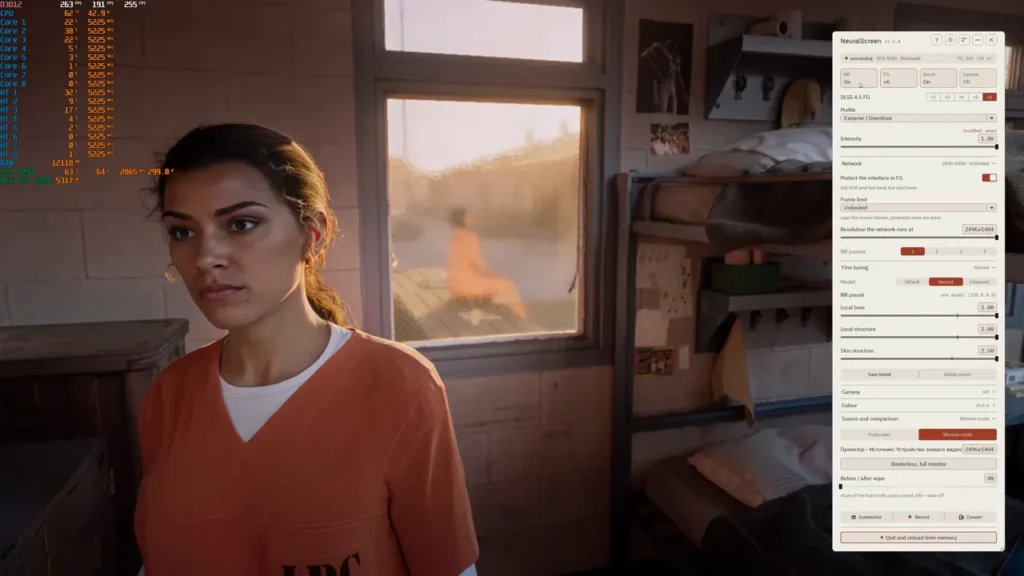
Here’s a quick overview of what you get with this release:
| Feature | Description |
|---|---|
| Video Upscaling | Improved image scaling and detail preservation |
| Frame Generation | Adaptive generation and pacing improvements |
| HDR Support | Improved HDR10 and Dolby Vision handling |
| Noise Reduction | NR video processing |
| Screen Capture | Capture and crop screen or window content |
| Recording | Automatic recording segmentation |
| Audio Processing | Improved synchronisation and volume controls |
| Live Translation | Real-time subtitle translation |
| OBS Integration | Veyra Virtual Camera |
| Console Streaming | PS5 and Xbox improvements |
| Video Export | Better timestamp and recovery handling |
You may like: How to Fix Game Crashes on PC
Veyra NRVideo System Requirements
Before downloading, make sure your PC meets the supported requirements.
Officially listed requirements:
- Operating System: Windows 11 64-bit.
- Graphics API: DirectX 12.2
- GPU: NVIDIA or AMD graphics card.
- Storage: Enough free space for the application and optional translation model.
- Permissions: A writable installation folder for the portable version.
Veyra provides separate packages for NVIDIA and AMD GPUs. Make sure you select the package matching the graphics card Veyra will actually use. Some advanced features depend on compatible graphics hardware, drivers and processing paths.
You may like: List of All DirectX 12.2 Graphics Cards
How to Install Veyra NRVideo on Windows
Installing Veyra is straightforward. You can either use the standard Windows installer or choose the portable version.
Method 1: Using the Setup EXE
- Open the official GitHub release page.
- Download the NVIDIA or AMD Setup EXE, depending on your GPU.
- Run the downloaded installer.
- Choose your preferred installation directory.
- Select whether you want a desktop shortcut.
- Complete the installation and launch Veyra.
The installer also provides an uninstall option through the Windows Start menu and Installed Apps settings.
Method 2: Using the Portable Version
If you don’t want to install the application, the portable package is another option.
- Download the NVIDIA or AMD Portable ZIP.
- Create a new folder where you want to keep Veyra.
- Extract the ZIP file into that folder.
- Make sure the folder is writable.
- Open the extracted directory.
- Run
Veyra.exe.
That’s it! You can now launch Veyra without going through the standard installation process.
You may like: How to Monitor In-Game FPS using MSI Afterburner
Final Words
Veyra NRVideo is a feature-packed video processing and capture application for Windows 11 users. With improved upscaling, frame generation, HDR handling, recording tools, live translation and virtual camera support, it offers plenty of useful features for gamers and content creators.
You can choose between NVIDIA and AMD packages, with both installer and portable download options available. If you want to try it out, grab the appropriate version from the official GitHub release page and explore what Veyra has to offer.
You may like: Tokyo Xtreme Racer: Best Settings for Low-End PCs
Download Section
You can download resources from here:
If the above button is not working, download from here:
Portable Releases
Here you can download Veyra NRVideo’s portable version from here:
Setup Releases
Here you can download Veyra NRVideo’s installer version from here:
Last Updated: 22 November 2026