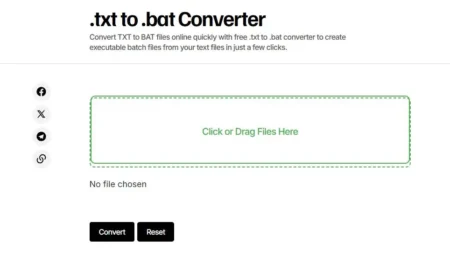



Easily convert your TXT files to INI format with our free online .TXT to .INI converter.
No software installation is needed — simply paste your text or upload a file, and let our converter do the work.
If you’re working with configuration files, settings data, or structured text, our tool ensures a seamless transformation of your .txt files into properly formatted .ini files. With a user-friendly interface and instant conversion, you can quickly generate .ini files for your applications, games, or system settings.
FAQ’s
Frequently Asked Questions:
Why Is My Converted INI File Not Working?
If the INI file isn’t working, check the original TXT file for formatting errors. Ensure sections are properly enclosed in brackets and key-value pairs are correctly separated. Also, verify that the INI file is compatible with your game or software.
Is the Tool Free to Use?
Yes, the TXT to INI Converter on GameDecide is completely free to use. There are no hidden fees or subscriptions required.
Does the Tool Support Other File Formats?
Currently, the tool is designed specifically for converting TXT files to INI. For other formats, you may need to explore additional tools or manually adjust the output.
Can I Use This Tool on Mobile Devices?
Yes, the tool is accessible on mobile devices through a web browser. However, for larger files or complex conversions, a desktop or laptop may provide a better experience.
How Do I Save or Download the Converted INI File?
After conversion, the tool provides options to copy the INI content to your clipboard or download it as a file. Simply click the appropriate button to save the file to your device.
Is My Data Safe When Using This Tool?
GameDecide prioritizes user privacy. The tool processes your data locally in your browser, meaning your TXT files are not uploaded to external servers. However, avoid sharing sensitive information in your files.
What If I Encounter Errors During Conversion?
If you encounter errors, double-check your TXT file for proper formatting. If the issue persists, refresh the page or try using a different browser. For further assistance, contact GameDecide’s support team.
Can I Edit the INI File After Conversion?
Yes, the converted INI file can be edited using any text editor. Make sure to maintain the INI format to avoid breaking the file’s functionality.
Why Should I Use INI Files for Game Configuration?
INI files are lightweight, easy to read, and widely supported by games and applications. They allow users to customize settings like graphics, controls, and gameplay options without modifying core game files.
Does the Tool Support Multi-Language Characters?
The tool primarily supports standard ASCII characters. If your TXT file contains special or multi-language characters, ensure they are compatible with the INI format and your target application.
How Accurate Is the Conversion Process?
The tool is designed to accurately convert well-formatted TXT files into INI format. However, the accuracy depends on the structure of your input file. Always review the output before use.
Can I Convert INI Files Back to TXT?
This tool is specifically for TXT to INI conversion. To convert INI back to TXT, you would need to manually edit the file or use a different tool designed for reverse conversion.
Is There a Limit to the Number of Conversions I Can Perform?
No, there is no limit. You can use the tool as many times as needed for your projects.
Where Can I Learn More About INI File Formatting?
You can find detailed guides and documentation online about INI file structure and best practices. GameDecide may also provide additional resources or links to help users understand the format better.
What Is the TXT to INI Converter Tool?
The TXT to INI Converter tool on GameDecide is a utility designed to help users convert plain text files into the INI file format. INI files are commonly used for configuration settings in games and software, and this tool simplifies the process of creating or modifying them.
How Do I Use the TXT to INI Converter?
To use the tool, visit the TXT to INI Converter page. Paste your plain text data into the input field or upload a TXT file. The tool will automatically convert the content into the INI format, which you can then download or copy for use in your game or application.
What Are the Benefits of Using This Tool?
This tool saves time by automating the conversion process, ensuring proper formatting for INI files. It eliminates manual errors and is particularly useful for gamers and developers who need to create or edit configuration files quickly.
Can I Convert Large TXT Files?
Yes, the tool supports small to moderately large TXT files. However, extremely large files may take longer to process or could encounter performance issues. For optimal results, ensure your text is well-structured before conversion.
What Should My TXT File Look Like Before Conversion?
Your TXT file should follow a clear structure, with key-value pairs separated by an equals sign (=) and sections enclosed in square brackets ([]). For example:[Section1]
key1=value1
key2=value2
[Section2]
key3=value3
Why Is My Converted INI File Not Working?
If the INI file isn’t working, check the original TXT file for formatting errors. Ensure sections are properly enclosed in brackets and key-value pairs are correctly separated. Also, verify that the INI file is compatible with your game or software.
.txt to .ini Converter

Convert TXT to INI files online with .txt to .ini converter.
Operating System: Web
Application Category: WebApplication
4.9