
Close Menu
  • Home
  • News
  • Mods
  • Guides
  • Tech
What's New?
Download OpenIV Quick Fix for GTA 5 PC – Fix OpenIV Errors Easily

OpenIV Enhanced Quick Fix for Grand Theft Auto V Enhanced

December 24, 2025
Download LSPDFR for GTA 5 Legacy & GTA V Enhanced Latest Releases for PC.

Download LSPDFR for GTA 5 Enhanced & Legacy (Latest Version)

August 6, 2026
Facebook X (Twitter) Instagram YouTube
Sunday, August 16
Game Decide
Facebook X (Twitter) Instagram YouTube
  • Home
  • News
  • Mods
  • Guides
  • Tech
  • Gaming
  • Computer
  • Software Guides
  • Graphic Tutorials
  • GTA V
  • GTA IV
  • Minecraft
  • Red Dead Redemption 1/2
Game Decide
Home»Guides»GTA 5 Tutorials»Run GTA V Enhanced on DirectX 11 Graphics Card: Low-Spec PC

Run GTA V Enhanced on DirectX 11 Graphics Card: Low-Spec PC

Updated:June 10, 20262 Mins Read
Share Facebook Twitter Pinterest LinkedIn Tumblr Email Copy Link
How to run GTA 5 Enhanced Edition on low-end PC with DirectX 11 graphics card with best settings, performance tweaks, optimisation to boost FPS, and reduce lag.
Image by vitaliiD
Share
Reddit Telegram WhatsApp Email Copy Link

Learn how to run GTA V Enhanced Edition smoothly on a low-end PC with a DirectX 11 graphics card. Discover the best graphics settings, performance tweaks, and optimisation tips to boost FPS and reduce lag on low-spec systems.

Table of Contents

  • How to Play GTA V Enhanced on DirectX11
    • 1. Lower In-Game Settings:
    • 2. Reduce Resolution:
    • 3. Use DirectX 11 Mode:
    • 4. Optimise Windows Settings:
    • 5. Use a Game Config File (Optional):
    • 6. Upgrade If Possible:

How to Play GTA V Enhanced on DirectX11

Struggling to play GTA V Enhanced on your low-end setup? Don’t worry – you can still enjoy the game smoothly with a bit of tweaking, similar to our GTA 5 Enhanced not opening post.
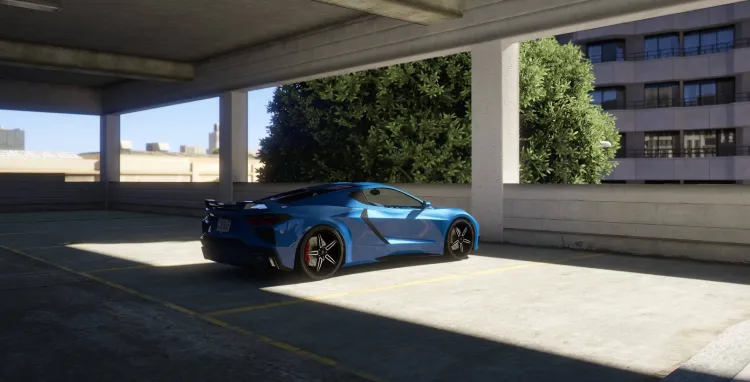
How to run GTA 5 Enhanced Edition on low-end PC with DirectX 11 graphics card with best settings, performance tweaks, optimisation to boost FPS, and reduce lag.
Image by vitaliiD

If your PC has a DirectX 11 graphics card but doesn’t meet the recommended specifications of Grand Theft Auto V Enhanced, here’s how to get the best possible performance and make GTA 5 Enhanced run on your Windows:

1. Lower In-Game Settings:

Launch the game and go to Settings > Graphics. Set most options to Normal or Low, and turn off resource-heavy features like MSAA, VSync, and Reflection Quality. Keep Texture Quality on Normal if your VRAM allows.

2. Reduce Resolution:

Drop your resolution to 1080p or less for more FPS. It won’t look bad and it’ll be far more playable.

3. Use DirectX 11 Mode:

To run GTA V Enhanced on DirectX11 based graphics card you will need to apply custom commands to the game which you can get from here:

Modify Commandline

-noprecache
-novblank
-noswapdelay
-ignoreDifferentVideoCard
-availablevidmem 1.1
-force11

In your GTA V root folder, create or edit a file called commandline.txt and add the code there. This can help free up memory and bypass some performance bottlenecks.

You can also experiment with the following commands send to us by the GTA community:

-noprecache
-nomemrestrict
-availablevidmem 6.0
-ignoreDifferentVideoCard
-force11

Credits: mr_xarounios

You may like: How to locate GTA 5 Enhanced Directory Folder
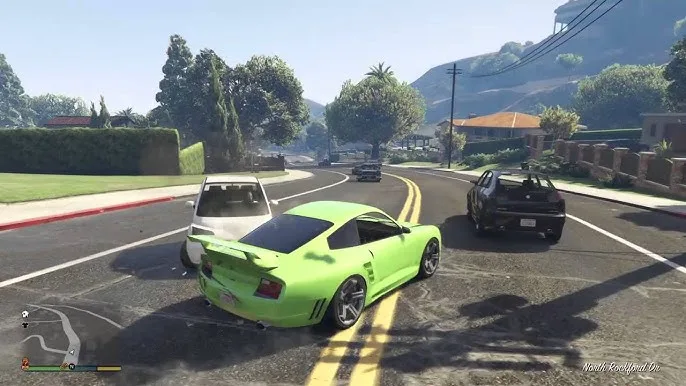

Fix GTA 5 enhanced not opening all PC errors: Grand Theft Auto V enhanced edition not working on Windows, GTA V enhanced crashing, not launching 1005, 7002.1.
Image by J Gaming

4. Optimise Windows Settings:

  • Close background apps before launching GTA V.
  • Set the game’s priority to High in Task Manager.
  • Turn on Game Mode in Windows settings.

5. Use a Game Config File (Optional):

If you’ve installed mods and are facing crashes or stuttering, consider using a modified gameconfig.xml from GTAModder, suitable for low-end PCs.

6. Upgrade If Possible:

A small RAM upgrade (e.g., from 4GB to 8GB) or switching to an SSD can significantly improve load times and stability, even on older systems.

With the right balance of settings and tweaks, you can still have a decent GTA V Enhanced experience even on a budget setup.

Share. Twitter VKontakte Reddit Telegram WhatsApp Email Copy Link
Previous ArticleCustom Graphics Tag Settings in GTA V | Advanced XML Tweaks
Next Article Fix GTA V Enhanced RUNE Error: Could not find RUNE64.dll!

Related Posts

Download Grand Theft Auto V Update.rpf File (GTA 5 Enhanced & GTA V Legacy)
July 11, 2026

Download GTA V Update.rpf (Enhanced & Legacy) RAW File

How to Fix PRAGMATA Game Not Saving Error on PC
June 4, 2026

How to Fix PRAGMATA Game Not Saving Error on PC

Learn how to fix GTA San Andreas to solve all errors of mouse, keyboard, map radar, Screen Resolution, and Widescreen Issues on computer/laptop on Windows 11/10.
April 29, 2026

Fix GTA San Andreas (Original) for Modern PCs & Laptops

Add A Comment
Leave A Reply Cancel Reply

Suggested Posts
how to Fix GTA 5 not opening error when clicking on GTAVLauncher, solve Grand Theft Auto V game not working/not launching errors on Windows 7/8.1/10/11 for pc.

How to Fix Incompatible Mods Error in GTA 5

April 13, 2023
How to check your Graphics Card's memory size, Bit size. DirectX's support, temperature, and other specifications using GPU-Z for Windows 7,8.10/11. How to check Graphic Card Information using GPU-Z

How to Check Graphic Card Specs on Windows 11

April 15, 2022
Enhance Your GTA 5 Gameplay with RAGE Plugin - A Must-Have Mod for Every Fanm,How to Install and download RAGE Plugin for Grand Theft Auto V?

RAGE Plugin Hook – GTA 5/RDR2 Mods

April 30, 2023
X (Twitter) Instagram Facebook YouTube

Topics

  • Game Mods
  • Gaming Guides
  • Tech Tutorials
  • PC Apps

Company

  • About Us
  • Disclaimer
  • Mods Policy
  • Contact Info

Services

  • Creators
  • Game Support
  • Newsletters
  • FAQ's

Subscribe to Updates

Get the best weekly posts straight to your inbox!

© 2026 Game Decide
  • Privacy Policy
  • Terms
  • DMCA
  • Accessibility

Type above and press Enter to search. Press Esc to cancel.