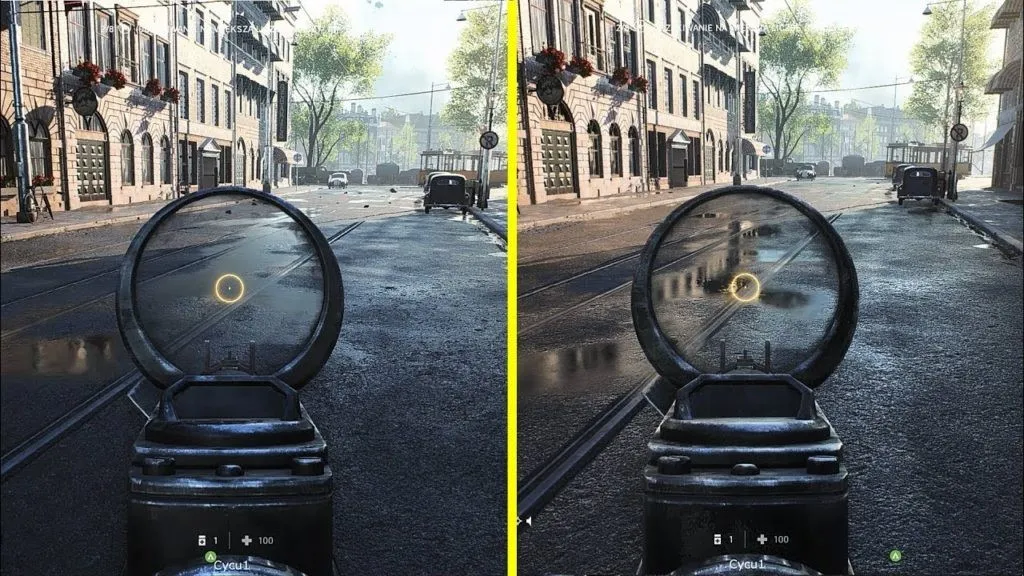
ReShade is a powerful post-processing injector designed to enhance the visual quality of PC games. It adds advanced graphical effects such as ambient occlusion, depth of field, bloom, sharpening, colour correction, and HDR lighting.
Table of Contents
By applying these effects in real time, ReShade gives games a more cinematic and detailed look without changing their original files.
Developed by crosire, ReShade works with DirectX, OpenGL, and Vulkan, making it compatible with hundreds of modern and classic titles. It’s the go-to tool for gamers and modders who want to fine-tune visuals or create their own graphic presets.
Key Features
- Real-time post-processing effects
- Support for DirectX 9, 10, 11, 12, OpenGL, and Vulkan
- Easy in-game menu for adjustments
- Huge shader library with community-made effects
- Preset system for saving and sharing visual settings
- Minimal performance impact with proper optimisation
- Compatible with most modern PC games
You may like: List of All DirectX 12.2 Graphics Cards
How to Download and Install ReShade
- Scroll to the download section.
- Download the latest version of ReShade setup.
- Run the installer and select your game’s executable file (for example, GTA5.exe).
- Choose the correct rendering API (DirectX 10/11/12, OpenGL, or Vulkan).
- Allow the installer to download and apply the default shader package.
- Launch your game and press Home to open the ReShade menu.
- Adjust effects, apply presets, or create your own look.
You may like: Run GTA V Enhanced on DirectX 11 Graphics Card
Tips for Best Results
- Try community presets from sites like NexusMods for quick setup.
- Use sharpening and colour grading effects for realistic visuals.
- Avoid using too many shaders at once to keep stable performance.
- Always back up your settings before making major changes.
Common Uses
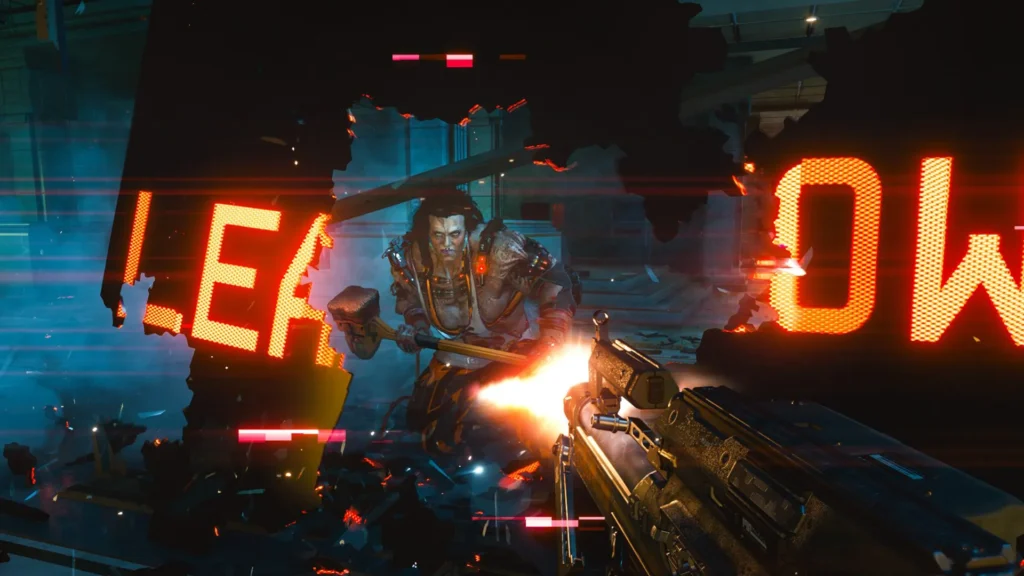
ReShade is widely used in games such as GTA V, Cyberpunk 2077, Red Dead Redemption 2, and Skyrim to boost clarity, contrast, and atmosphere. It’s also great for screenshots, videos, and cinematic gameplay captures.
You may like: Play RDR 1 on Low PC
FAQs
Frequently Asked Questions:
Is ReShade safe to use?
Yes, ReShade is completely safe if downloaded from the official site. It does not modify game files or contain harmful code. Avoid using it in online multiplayer games as it may trigger anti-cheat systems.
Does ReShade affect FPS?
ReShade can slightly impact performance depending on how many effects you enable. Using only lightweight shaders like sharpening or LUT colour correction helps maintain high FPS.
Can I use ReShade with mods?
Yes, ReShade works alongside most visual or ENB mods. Just install it last to ensure compatibility and correct rendering order.
How many games Reshade support?
While there’s no fixed number, community testing confirms over 10,000 games are compatible in some form, from AAA releases like Cyberpunk 2077, Elden Ring, GTA V, and Skyrim, to indie titles and emulated games.
Conclusion
ReShade is one of the best tools for improving visuals in PC gaming. Whether you want realistic lighting, vibrant colours, or cinematic tone mapping, it gives full control over how your games look. Download it today and transform your visuals instantly.
Download Section
If the above button is not working, download from here:
| Version | Support | Files |
|---|---|---|
| v6.7.3 | Windows 10, Windows 11 | Download |
| v6.7.1 | Windows 10, Windows 11 | Download |
| v6.7.0 | Windows 10, Windows 11 | Download |
| v6.6.1 | Windows 10, Windows 11 | Download |
| v6.5.1 | Windows 10, Windows 11 | Download |
| v6.4.1 | Windows 10, Windows 11 | Download |
| v6.3.3 | Windows 10, Windows 11 | Download |
| v6.3.1 | Windows 10, Windows 11 | Download |
| v6.2.0 | Windows 10, Windows 11 | Download |
| v6.0.1 | Windows 10, Windows 11 | Download |
| v5.9.2 | Windows 7, Windows 8, Windows 10, Windows 11 | Download |
| v5.6.0 | Windows 7, Windows 8, Windows 10, Windows 11 | Download |
| v5.0.1 | Windows 7, Windows 8, Windows 10, Windows 11 | Download |
| v4.9.1 | Windows 7, Windows 8, Windows 10, Windows 11 | Download |
| v4.7.0 | Windows 7, Windows 8, Windows 10, Windows 11 | Download |
| v4.6.1 | Windows 2000, Vista, Windows XP, Windows 7, Windows 8, Windows 10, Windows 11 | Download |
ReShade supports all of Direct3D 9, Direct3D 10, Direct3D 11, Direct3D 12, OpenGL and Vulkan. A computer with Windows 7 SP1, 8.1, 10 or 11 and .NET Framework 4.8 installed is required.
Last Updated: Friday, 20 March 2026