



Get the latest .NET Desktop Runtime offline installer for Windows PC, including all current and previously supported releases. If you need the .NET 10 Desktop Runtime, the upcoming .NET 11 Desktop Runtime, or earlier stable versions, we’ve got you covered with official Microsoft offline installer packages.
Table of Contents
This page provides fast, secure links to full offline installers for the Microsoft .NET Desktop Runtime, similar to the DirectX Offline Installer. This program is optimized for developers, IT admins, and end-users who want offline .NET runtime installations without internet access.

What Is .NET Desktop Runtime?
.NET Desktop Runtime is required to run Windows desktop applications developed using Microsoft .NET technologies. It does not include development tools, but it is essential for end-users who want to launch .NET-based programs on their PC.
It supports:
- Windows Forms (WinForms)
- Windows Presentation Foundation (WPF)
- .NET console applications
- Modern .NET desktop software
You may like: ReShade All Releases for PC Game Graphics

Available .NET Desktop Runtime Versions
Below are the most popular .NET Desktop Runtime versions, available as full offline installers for Windows.
- .NET Desktop Runtime 10 (Latest version) – Recommended for new applications, improved performance and security
- .NET Desktop Runtime 9 – Stable release for modern desktop software
- .NET Desktop Runtime 8 – Long-term support version, widely used
- .NET Desktop Runtime 6 (LTS) – Legacy version (support ended, still required by older apps)
Each version is available in:
- x64 (64-bit) – Most modern Windows PCs
- x86 (32-bit) – Older systems
- ARM64 – ARM-based Windows devices
Always install the version required by the application you are trying to run on you computer.
You may like: Razer Cortex to Boost PC Games FPS
Why Use the .NET Desktop Runtime Offline Installer?
The offline installer is ideal if you:
- Do not have a stable internet connection
- Need to install .NET on multiple PCs
- Work in a restricted or enterprise environment
- Want a permanent installer for future use
Key Benefits:
- No internet required during installation
- Faster setup on multiple systems
- Reliable for troubleshooting missing runtime errors
- Ideal for IT administrators and advanced users
You may like: Notepad++ – Best Code & Text Editor
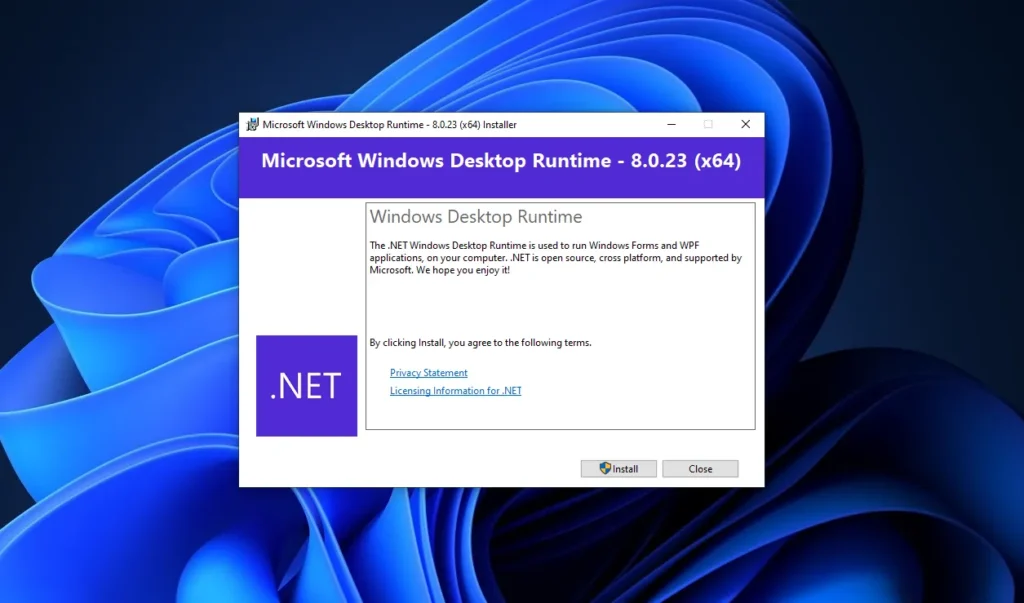
How to Install .NET Desktop Runtime Offline on Windows
- Scroll to the download section
- Pick a version you need or want to install
- Download the installer program
- Watch the installation video
- And you are done
After installation, your system will be ready to run all supported .NET desktop applications.
You may like: CrystalDiskInfo – Check Drive Information

System Requirements
Some latest version of .NET Desktop Runtime may not work on older Windows, so here is an overview of .NET Desktop Runtime Supported operating systems:
- OS: Windows 11, Windows 10 (version 1809 or later)
- CPU: 3 GHz processor or faster
- RAM: 4 GB RAM (32-bit) / 8 GB RAM (64-bit)
- Storage: At least 4 GB of free disk space
You may like: CrystalDiskMark – Storage Drive Benchmark
Installation Video
Download Section
The .NET Desktop Runtime allows you to run existing Windows desktop applications. This release already includes the .NET Runtime, so there is no need to install it separately.
| Versions | Files | End of support |
|---|---|---|
| v10.0.2 | x64 | x86 | Arm64 | November 14, 2028 |
| v9.0.12 | x64 | x86 | Arm64 | November 10, 2026 |
| v8.0.23 | x64 | x86 | Arm64 | November 10, 2026 |
Legacy support versions
The following releases have reached end of life and are no longer supported. We recommend upgrading to a currently supported release.
| Versions | Files |
|---|---|
| v7.0.20 | x64 | x86 | Arm64 |
| v6.0.36 | x64 | x86 | Arm64 |
| v5.0.17 | x64 | x86 | Arm64 |
| v3.1.32 | x64 | x86 |
| v3.0.3 | x64 | x86 |
You may like: MSI Afterburner – Optimize & Overclock PC

FAQ’s
Frequently Asked Questions:
What is the difference between .NET Desktop Runtime and .NET SDK?
The .NET SDK is used for developing applications, while the .NET Desktop Runtime is only required to run them.
Can I install multiple .NET Desktop Runtime versions on one PC?
Yes, .NET supports side-by-side installation without causing conflicts.
Do I need the offline installer if I already have internet access?
Not necessarily, but the offline installer is useful for backups, repairs, or installing on multiple machines.