


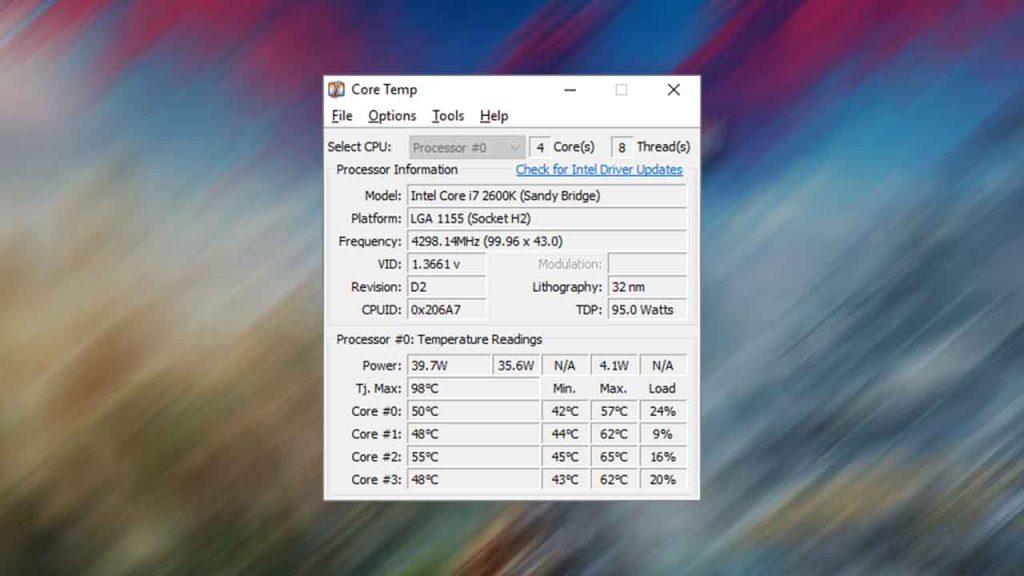
Core Temp is a mini tool that monitors the temperature of your computer’s CPU cores. It gives you real-time information on the temperature of each core, so you can keep track of how hot your computer is running. You should update your graphic drivers and then use Core Temp to test everything is alright.
Table of Contents
Core Temp can also display other useful information such as the load on each core and the speed at which your CPU is running. It’s a great tool for anyone who wants to keep an eye on their computer’s temperature and ensure that it’s running smoothly.
How to Use Core Temp
Once Core Temp is installed, launch the program. It should automatically start monitoring your CPU temperature in real-time. Core Temp displays your CPU temperature in Celsius or Fahrenheit, depending on your preference. You can also view the temperature of individual CPU cores.
Core Temp allows you to customize a variety of settings, including the temperature units, update frequency, and appearance of the program. Monitor your system: Core Temp can also be configured to monitor other aspects of your system, such as the CPU load, fan speeds, and voltage levels.
How to Install Core Temp
Here is a step-by-step guide on how to install Core Temp:
- Go to the Core Temp website.
- Click on the “Download” button on the top navigation bar.
- Scroll down to the “Stable version” section and click on the “Download” button for the latest stable version of Core Temp.
- Once the download is complete, open the downloaded file.
- Follow the installation wizard by clicking “Next” on each screen.
- On the “Select Additional Tasks” screen, choose if you want to create a desktop shortcut or quick launch icon.
- Click “Install” and wait for the installation to finish.
- Once the installation is complete, launch Core Temp by double-clicking the desktop icon or opening it from the quick launch icon.
Congratulations! You have successfully downloaded and installed Core Temp. Now you can use it to monitor the temperature of your computer’s CPU.
Download Section
If you are unable to download Core Temp from the above page, you can use this mirror download.
You may like: HWMonitor – Check Computer Temperature, Fan speed, and Voltages!
FAQ’s
Here are some frequently asked questions on Core Temp:
What operating systems is Core Temp compatible with?
Core Temp is compatible with Windows XP, Vista, 7, 8, 10 and 11 (both 32-bit and 64-bit).
Does Core Temp support multi-core processors?
Yes, Core Temp is designed to support multi-core processors, including Intel and AMD processors.
Can I customize the temperature display in Core Temp?
Yes, you can customize the temperature display by selecting your preferred unit of temperature (Celsius or Fahrenheit) in the Options menu.
Does Core Temp require installation of additional software?
No, Core Temp does not require the installation of any additional software to function properly.
How accurate is Core Temp in monitoring CPU temperature?
Core Temp is a highly accurate tool for monitoring CPU temperature, as it directly reads data from the Digital Thermal Sensor (DTS) on the processor.
Can I set up alarms for high CPU temperature using Core Temp?
Yes, Core Temp allows you to set up alarms for high CPU temperature. You can set the temperature threshold for the alarm and choose to receive a visual or audio alert when the temperature exceeds that threshold.
Is Core Temp a free tool?
Yes, Core Temp is a free tool that is available for download from its official website.
If you have a question ask in the comments.