


Let’s learn how to install San Andreas Map mod latest version in GTA 5 game. Learn how to Install GTA 5 Maps Mod called: GTA V Las Venturas & San Fierro DLC : REMASTERED is a Map developed by GTA BELGIUM.
Table of Contents
This is a full tutorial guide GTA San Andreas Map Mod installation for Grand Theft Auto V. You can download GTA San Andreas for GTA 5 game from this article and install on your computer for free.
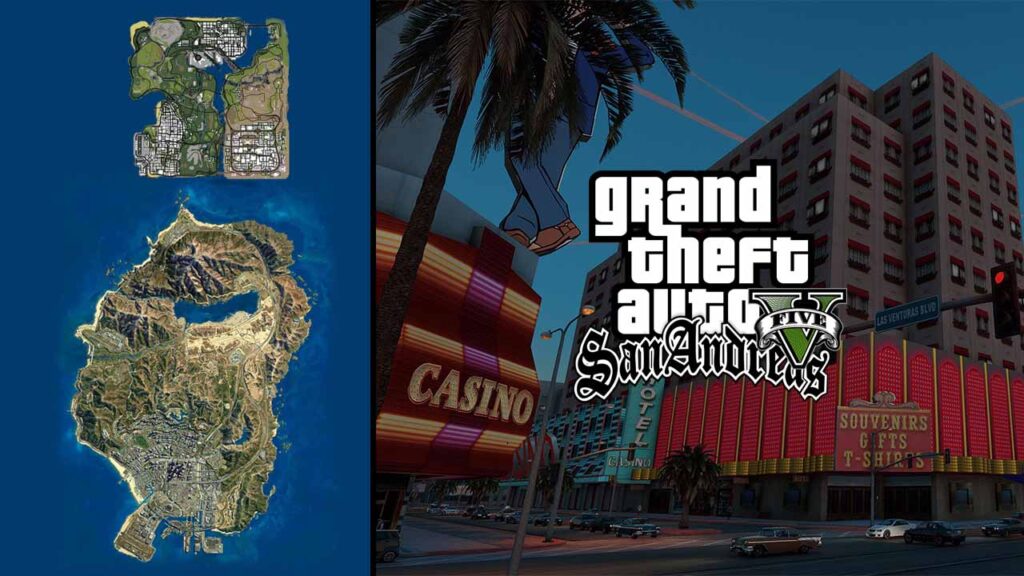
Without a doubt, Grand Theft Auto 5 is an extraordinary game compared to other open-world games. Created by Rockstar, GTA 5 is as yet played by a huge number of players around the world and GTA fans love doing different things in GTA 5, so today we will be sharing a method to add San Andreas Map “Las Venturas & San Fierro” in GTA 5.
Install San Andreas Map in GTA 5
We are installing the best detailed graphic mode of San Andreas in GTA 5. There are a huge number of stunning San Andreas mods you can attempt. Furthermore, to make it simple for you, we are sharing the best method of GTA San Andreas map installation.
How to Install GTA 5 Las Venturas & San Fierro DLC
- Open folder ScriptHookV folder.
- Copy all files from bin folder.
- Paste files in GTA 5 Directory.
- Open ScriptHookVDotNet folder.
- Copy all files to GTA 5 Directory.
- Open “Las Venturas & San Fierro DLC“.
- Go to “NoLimits” folder.
- Open ‘update/update.rpf’ in OpenIV.
- Go to below in OpenIV.
- Click on “Edit Mode” button.
- Select ‘playerinfo.ymt’ in NoLimts.
- Drag playerinfo.ymt to below location.
x64/data/tune/
- Download and Install OpenIV.
- Open OpenIV with GTA 5.
- Enable edit button with OpenIV.
- Open NoLimits folder.
- Drag ‘playerinfo.ymt’ to below location.
update/update.rpf/x64/data/tune/- Copy dlc.rpf file from sflv.
- Paste file to blow location.
update/x64/dlcpacks- Now open GTA 5 with OpenIV.
- Go to below location
update/update.rpf-common-data- Edit the file dlclist.xml.
- Search:
<Item>dlcpacks:...\</Item> - Paste this new dlc code line after it:
<Item>dlcpacks:\sflv\</Item>- Go to ‘sflv zone and scenario files’ folder.
- Open “zone” folder.
- Select both popcycle.dat and popzone.ipl
- Drag both files to below location in OpenIV
mods/update/update.rpf/common/data/levels/gta5/- Select zonebind.ymt and popgroups.ymt
- Drag both files to below location in OpenIV
mods/update/update.rpf/x64/levels/gta5/- Now Open scenario folder.
- Select both sflv.ymt and sflv2.ymt
- Drag both files to below location in OpenIV
mods/update/update.rpf/x64/levels/gta5/scenario- Select sp_manifest.ymt file.
- Drag both files to below location in OpenIV
mods/update/update.rpf/x64/levels/gta5/- Install DirectX and Visual C++
- Play GTA 5 and visit San Andreas Map.
Installation may look difficult, but it is very easy to follow and if you are still confuse over something you can watch the below installation video.
Download section
You can download the Map mod and other required files for your GTA V game.
Download Mod
Required Files
Required Softwares
If you have a question, feel free to ask in the comments.



2 Comments
Здравствуйте. Скачал и установил карту карту GTA San Andreas в GTA 5, сделал все по инструкции, карта в игре есть, но попасть на нее не возможно. Прилетаю, но пролетаю сквозь текстуры. Трафик ездит, но как только я приближусь к ним, они тоже падают. В чем проблема и можно ли это исправить?
к сожалению, решения нет, но вы можете нанять специалиста по кодированию, чтобы исправить ошибку, но это будет дорогостоящая задача. Другой вариант — найти другой пакет модов и создать свою собственную игру с модами, чтобы вы могли протестировать моды и удалить любой неподходящий мод.
Чтобы облегчить мой ответ, вам следует воссоздать карту в GTA San Andreas самостоятельно, используя моды, найденные в Интернете.