
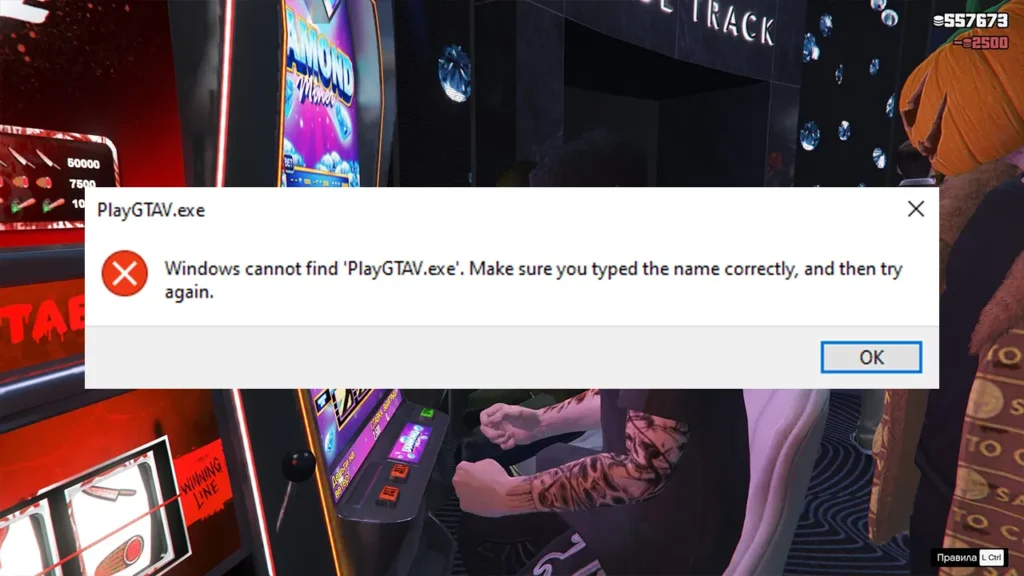
Learn how to fix the GTA 5 Legacy error “Windows cannot find PlayGTAV.exe” on PC, what causes the issue, and why the error says: Windows cannot find PlayGTAV.exe when you try to launch GTA 5 Legacy. and
Table of Contents
This usually happens when the file is missing, renamed, blocked, or the shortcut is pointing to the wrong location, and that is why Windows failed to locate the main launcher executable used to start the game.
Why Do Players Get This Error?
This issue is common and usually caused by:
- Deleted or missing PlayGTAV.exe due to a failed update
- Antivirus software quarantining the file by mistake
- Incorrect desktop or Start Menu shortcut paths
- Manually moving the GTA 5 folder to another drive
- Switching between Enhanced and Legacy editions
- Modding or replacing core game files
Most players run into this after reinstalling, updating, or heavily modding GTA 5 Legacy.
You may like: PlayGTAV Launcher File for GTA 5 Enhanced & Legacy
How to Fix the PlayGTAV.exe Error in GTA 5 Legacy
Here are steps on how to solve the missing or broken PlayGTAV.exe file error in Grand Theft Auto V for both GTA 5 Enhanced and GTA V Legacy users on PC:
Method 1: Verify Game Files (Best & Safest Fix)
This is the quickest and safest solution.
Steam users:
- Open Steam
- Go to Library
- Right-click Grand Theft Auto V
- Select Properties → Installed Files
- Click Verify integrity of game files
Epic Games Launcher / Rockstar Launcher users can use the Verify option in the game settings. This will restore PlayGTAV.exe automatically if it’s missing or corrupted.
Method 2: Check Antivirus & Restore the File
Some antivirus programs mistakenly flag game executables.
- Open Windows Security or your antivirus software
- Go to Protection History / Quarantine
- Look for
PlayGTAV.exe - Restore the file and add the GTA 5 folder to exclusions
- Restart your PC and try launching the game again
Method 3: Fix or Recreate the Shortcut
If the file exists but the error still appears:
- Navigate to your GTA 5 Legacy install folder
- Right-click
PlayGTAV.exe - Select Send to → Desktop (create shortcut)
- Delete the old shortcut and use the new one
This fixes incorrect paths caused by folder moves or updates.
Method 4: Avoid Downloading Random EXE Files
Do not download PlayGTAV.exe from random websites.
- These files are often unsafe
- Wrong versions can break the game
- Verifying files does the job safely
Always restore the file through your official launcher.
You may like: How to Play/Exit GTA 5 in Safe Mode on PC
Extra Tips for GTA 5 Legacy Players
- Don’t mix Enhanced and Legacy files
- Always back up your game folder before modding
- Reinstall mods after verifying files
- Keep antivirus exclusions in place
You may like: Run GTA V Enhanced on DirectX 11 Graphics Card
Final Thoughts
The GTA 5 Legacy Windows cannot find PlayGTAV.exe error is usually caused by missing files, antivirus interference, broken shortcuts, or file mismatches. The safest fix is verifying your game files through your launcher. Once restored, GTA 5 Legacy should launch normally again.
You may like: How to Check GTA 5 Version
Download Section
You can download the fix file from this section for GTA V Legacy, GTA 5 Enhanced edition, and all Grand Theft Auto V users on PC:
| Edition | Files |
|---|---|
| Enhanced/Legacy | Download |
GTA Wood Members-only Files
If you are from GTA Wood, then you can use the following latest fix files:
Premium Users
Here you can download resources for GTA V Premium users who own the game through the Rockstar Games Launcher, Steam, Epic Games Store, or other legitimate platforms:
Free Users
Here you can download resources for users who obtained the game from internet:
Disclaimer: To prevent the (Legacy*) game files from being quarantined during installation, temporarily disable Microsoft Defender or your antivirus and add your game’s installation folder to the Microsoft Defender exclusions list before extracting or copying the files.
Premium Installation Video
Reference Post: How to Disable Antivirus or Add an Exception
FAQ’s
Frequently Asked Questions:
What is PlayGTAV.exe used for?
PlayGTAV.exe is the executable that launches GTA 5 through the Rockstar launcher system. If it’s missing, Windows cannot start the game.
Is this error caused by mods?
Yes, mods that replace or remove core files can cause this issue, especially if they are outdated or installed incorrectly.
Does this error affect GTA Online?
Yes. If the game cannot launch, both Story Mode and Online are inaccessible.
Will verifying game files delete my mods?
Yes, any mods that modify core game files may be removed and will need to be reinstalled.
Is this error common on GTA 5 Legacy?
Yes, it’s more common on Legacy, particularly for players who move folders, switch versions, or mod heavily.

1 Comment
what is the password