Easily convert your TXT files to XML format with our free online .TXT to .XML converter.
If you need to convert TXT to XML online, you’re in the right place. This free TXT to XML converter allows you to convert .txt files to .xml format quickly and efficiently without installing any software. Whether you’re a developer, data analyst, or just need to format your data properly, our online tool provides a seamless experience.
Why Convert TXT to XML?
TXT files are simple text documents, but XML (Extensible Markup Language) is widely used for structured data storage and web applications. Converting .txt to .xml helps in:
- Making data readable for programming and automation.
- Organizing data into a structured format.
- Improving compatibility with various applications.
Features of Our TXT to XML Converter
- Fast & Free – No registration required.
- Secure Conversion – Files are processed safely.
- No Software Needed – 100% online converter.
- Accurate Formatting – Ensures correct XML structure.
Use Cases for TXT to XML Conversion
- Web Development – Converting text-based data into XML format for web applications.
- Data Migration – Transferring unstructured text data into a structured XML format.
- Software Development – Formatting raw text into an XML schema.
- Game Development – Preparing XML files for game scripts and configuration.
FAQ’s
Frequently Asked Questions:
What is a TXT to XML converter?
A TXT to XML converter is a tool that transforms plain text files (.txt) into structured XML format (.xml). This is useful for organizing data, making it readable for applications, and ensuring compatibility with different systems.
How do I convert a TXT file to XML online?
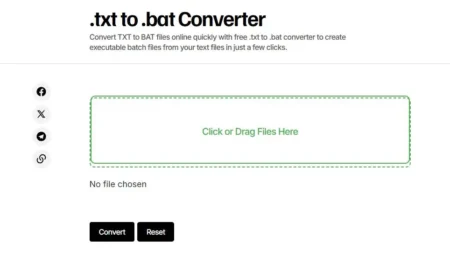
To convert a TXT file to XML, upload your TXT file to the converter, select XML as the output format, click “Convert,” and then download the resulting XML file. The process is quick and requires no installation.
Is the TXT to XML converter free to use?
Yes, our TXT to XML converter is completely free to use. You don’t need to register, install software, or pay for the service. Simply upload your file and convert it instantly.
Do I need to install any software for TXT to XML conversion?
No, the conversion is 100% online, so there is no need to install any software. You can access the tool from any web browser and convert files instantly.
Is my data safe when converting TXT to XML?
Yes, our online tool ensures data privacy. Your uploaded files are not stored or shared, and the conversion process is secured to protect your information.
Can I convert large TXT files to XML?
Yes, you can convert large TXT files, but performance may depend on your internet connection and file size. For extremely large files, consider splitting them before conversion.
Will the converter keep the formatting of my TXT file?
The tool ensures proper XML structuring, but since TXT files have no markup, it will generate a structured XML file based on your input text.
What can I use the converted XML file for?
XML files are widely used for web development, data storage, game configurations, APIs, and other applications that require structured data formatting.
Where can I access the TXT to XML converter?
You can access the TXT to XML converter online at GameDecide.com without any downloads or sign-ups.
.txt to .xml Converter
Convert TXT to XML files online with .txt to .xml converter.
Operating System: Web
Application Category: WebApplication
4.9