Download Microsoft GameInput latest version for PC to learn what GameInput is, why it’s required for modern games, how to install it on Windows 10 and Windows 11, and fix common controller issues.
Table of Contents
Microsoft GameInput is an essential Windows component, similar to DirectX software, that many games require to run without controller or input issues.
About Microsoft GameInput
Microsoft GameInput is a core Windows component designed to improve input handling for modern PC games. It ensures smooth communication between games and input devices such as controllers, keyboards, mice, and gamepads.
Many new and updated games rely on Microsoft GameInput to function correctly, especially titles downloaded from Microsoft Store, Xbox App, and Steam. If you are facing controller detection issues, missing input support, or game launch errors, installing or updating Microsoft GameInput to the latest version can often resolve the problem.

What Is Microsoft GameInput?
Microsoft GameInput is a low-level input API developed by Microsoft to replace older input systems like XInput and DirectInput in certain scenarios. It provides:
- Faster and more reliable controller input
- Better support for modern gamepads
- Reduced input latency
- Improved compatibility with Windows 10 and Windows 11
Many AAA and indie games now depend on GameInput services running correctly in the background.
You may like: ReShade: Download All Releases for PC Game Graphics

Why You Need Microsoft GameInput on PC
You may need Microsoft GameInput if:
- Your controller is not detected in games
- Games crash or fail to launch after updates
- You see errors related to GameInput Service
- Xbox controllers are not working properly on PC
- Games from Microsoft Store or Xbox App refuse to start
You may like: Razer Cortex to Boost PC FPS
Microsoft GameInput is usually installed automatically through Windows Update or bundled with supported games. However, if it is missing or corrupted, you may need to reinstall it.
System Requirements
- Windows 10 (64-bit) or Windows 11
- Administrator access
- Active Windows Update service
Note: There is no standalone installer officially released by Microsoft. The latest version is delivered via Windows Update or game installations.
You may like: Notepad++ – Best Code & Text Editor

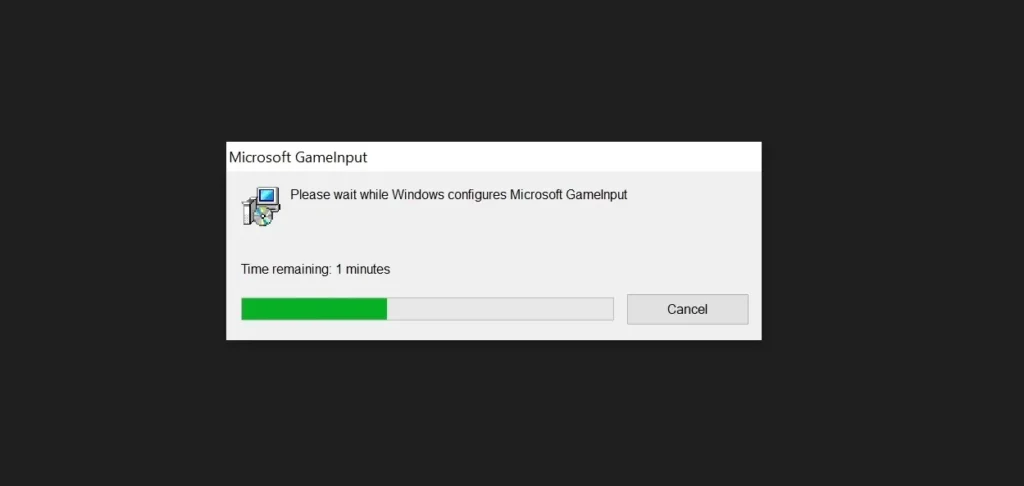
How to Install or Update Microsoft GameInput
Keeping Microsoft GameInput updated ensures stable performance and proper input handling. Here are steps on how to install Microsoft GameInput on Windows:
Method 1: Using Windows Update
- Open Settings
- Go to Windows Update
- Click Check for updates
- Install any available updates
- Restart your PC
Method 2: Reinstall via PowerShell
You can download Microsoft GameInput and update it that way, or use the following method if GameInput is broken or missing, you can reinstall it using PowerShell:
Step 1: Open PowerShell as Administrator
- Press the Windows Key.
- Type PowerShell.
- Right-click Windows PowerShell (or Terminal) and select Run as Administrator.
Step 2: Run the Commands
It is best to uninstall the existing version first to ensure a clean slate, then install the new one. Copy and paste these lines one by one:
To Uninstall (Optional but Recommended):
PowerShell
winget uninstall Microsoft.GameInput
To Install:
PowerShell
winget install Microsoft.GameInput --accept-source-agreements --accept-package-agreements
Note: The
--acceptflags bypass the manual prompt to agree to Microsoft’s terms, making the process faster.
Step 3: Verify the Installation
Once the command finishes, check if the service is active by running:
PowerShell
Get-Service -Name "GameInputSvc"
You should see a status of Running.
You may like: Driver Booster 12 Free for Drivers Update Utility

Common Microsoft GameInput Issues Fixed
Installing the latest version can fix:
- Controller not working in games
- Xbox controller disconnecting randomly
- GameInput Service not running
- Errors after Windows updates
- Input lag and stuttering
Is Microsoft GameInput Safe?
Yes. Microsoft GameInput is an official Windows component developed by Microsoft. It is safe, lightweight, and essential for modern gaming on Windows PCs.
You may like: How to Monitor In-Game FPS using MSI Afterburner
Final Words
Microsoft GameInput plays a vital role in modern PC gaming. Keeping it updated ensures better controller support, fewer errors, and smoother gameplay.
If you are experiencing input-related problems, updating or reinstalling Microsoft GameInput should be one of your first troubleshooting steps.
For the best gaming experience, always keep your Windows system fully updated.
Download Section
You should avoid downloading modified or third-party versions from untrusted sources. You can download the safe version from here:
| Version | Files |
|---|---|
| v1.0 | Download |
If the above link is not working, you can download it with MediaFire.
Learn More: Microsoft Game Development Kit
FAQ’s
Frequently Asked Questions:
What is Microsoft GameInput?
Microsoft GameInput is a Windows input system that allows games to communicate properly with controllers, keyboards, mice, and other input devices. It is commonly used by modern PC games on Windows 10 and Windows 11.
Why is Microsoft GameInput required on PC?
Many newer games depend on Microsoft GameInput for controller support and low-latency input. Without it, games may fail to launch or controllers may not work correctly.
Is Microsoft GameInput safe to install?
Yes, Microsoft GameInput is an official Windows component developed by Microsoft. It is safe, trusted, and mostly automatically updated through Windows Update.
How do I download Microsoft GameInput latest version?
You can download Microsoft GameInput from Microsoft Windows as shared in this post, or downlod the standalone version only available on GameDecide.com.
Does Microsoft GameInput work on Windows 11?
Yes, Microsoft GameInput fully supports both Windows 10 and Windows 11.
Can I uninstall Microsoft GameInput?
Uninstalling Microsoft GameInput is not recommended. Removing it can cause controller issues or prevent some games from launching, but you can uninstall it using the control panel on Windows.
My controller is not working. Is Microsoft GameInput the cause?
It can be. If the GameInput service is missing or corrupted, controllers may not be detected in games. Updating or reinstalling GameInput often fixes this issue on Windows.
What games use Microsoft GameInput?
Many modern PC games use it, especially titles from:
1. Minecraft
2. Roblox
3. Microsoft Store Games
4. Xbox App Games
5. Steam Games (newer releases)
Does Microsoft GameInput replace XInput or DirectInput?
Microsoft GameInput does not fully replace them, but offers improved performance, lower latency, and better support for modern controllers.
What is the GameInput Service on Windows?
The GameInput Service runs in the background and manages communication between games and input devices. If it is stopped, games may not recognise controllers or the keyboard in games.
How do I fix Microsoft GameInput Service not running?
You can fix it by:
1. Running Windows Update
2. Restarting the GameInput service
3. Reinstalling GameInput via PowerShell
4. Restarting your PC
Does Microsoft GameInput cause performance issues?
No. It is lightweight and designed to improve gaming performance, not reduce it.
Is Microsoft GameInput needed for keyboard and mouse only games?
Some games may still require it even if you use a keyboard and mouse, as it handles multiple input systems in the background.
Can Microsoft GameInput fix controller lag?
Yes, in many cases. GameInput reduces input latency and improves controller responsiveness.
Is Microsoft GameInput available for Windows 7 or 8?
No. Microsoft GameInput is only supported on Windows 10 and Windows 11, but the standalone version on GameDecide.com still might work on some older Windows editions.