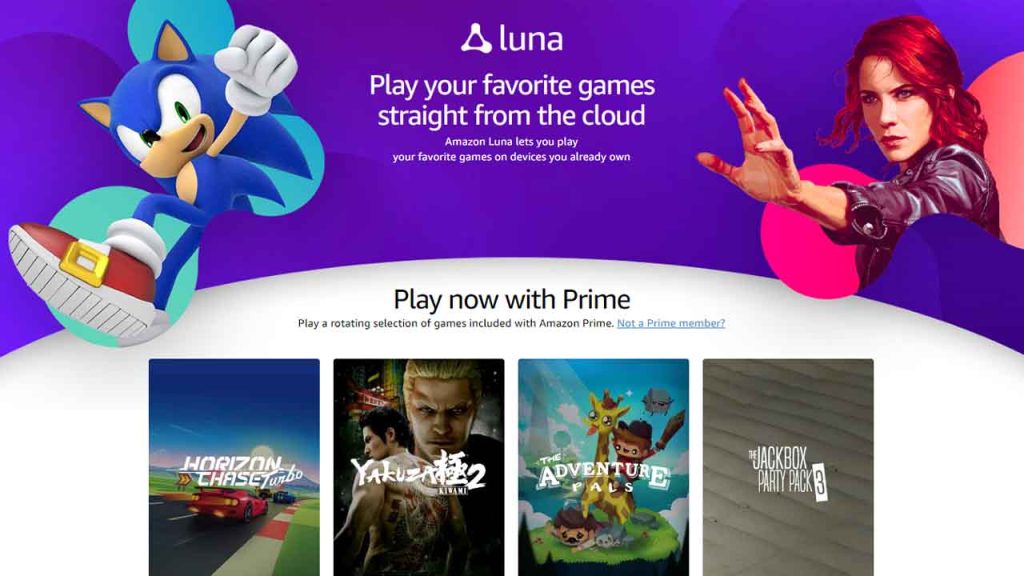
Amazon Luna is a cloud gaming service that allows you to play a huge library of games on multiple devices, without the need for a gaming console or powerful computer. That’s right, all you need is a stable internet connection, and you’re good to go.
Table of Contents
Another great thing about Amazon Luna is that it’s constantly expanding its game library, with new titles being added every month. Plus, you can enjoy some of the most popular games like Control, Resident Evil 7, and GRID. And if that’s not enough, Luna also offers exclusive games that you won’t find anywhere else.
About Amazon Luna
Amazon Luna allows you to play games with ultra-low latency, meaning you’ll experience minimal lag or delay. That’s a huge plus for fast-paced games like first-person shooters, where split-second decisions can make all the difference.
And lastly, Amazon Luna is super easy to use, with a simple interface and intuitive controls. Plus, it’s available on multiple devices, including Fire TV, PC, Mac, and select Android smartphones and tablets. So why not give Amazon Luna a try and experience the future of gaming?
How to Join Amazon Luna Cloud Gaming Service
Here is a step-by-step guide on how to download, join and use Amazon Luna for free:
- First, visit the Amazon Luna website and request an invitation to join the service.
- Once you receive an invitation, create an Amazon account or sign in with your existing account.
- Next, download the Amazon Luna app on your device from the respective app store. Currently, Luna is available on Windows, Mac, Fire TV, iOS, and select Android devices.
- Open the Luna app and sign in using your Amazon account details.
- Once you’re signed in, you can start browsing and selecting games to play from the Luna library. The library includes a variety of games, including popular titles like Control, Resident Evil 7, and Assassin’s Creed Valhalla.
- After selecting a game, you can choose to either stream it instantly or add it to your library for later.
- If you choose to stream the game, Luna will automatically optimize the streaming quality based on your internet connection.
- Finally, connect a compatible controller to your device, and you’re ready to start playing!
That’s it! With these simple steps, you can join and start using Amazon Luna to stream your favorite games.
Final Thoughts
Amazon Luna is a promising cloud gaming service that offers a wide variety of games for users to play on different devices. The service is still relatively new, but it shows great potential with its affordable subscription plans, seamless streaming, and user-friendly interface.
Amazon has also been adding more games to its library and partnering with various game publishers, making it a more competitive option in the cloud gaming market. Overall, Amazon Luna has the potential to become a major player in the gaming industry and is definitely worth checking out for avid gamers.
You may like: GeForce NOW: Nvidia’s Cloud Gaming Service
FAQ’s
Here are some FAQs about Amazon Luna:
What is Amazon Luna?
Amazon Luna is a cloud gaming service that allows users to stream games on their devices without having to download them. It is similar to other cloud gaming services like Google Stadia and GeForce NOW.
How does Amazon Luna work?
To use Amazon Luna, you need to have a Luna subscription, a compatible device, and a stable internet connection. Once you have these, you can start streaming games from the Luna library. The games are stored on Amazon servers and streamed to your device over the internet.
What devices are compatible with Amazon Luna?
Currently, Amazon Luna is available on PC, Mac, Fire TV, iPhone, iPad, and select Android phones. You can also play Luna games using a keyboard and mouse, a game controller, or a Luna controller.
What games are available on Amazon Luna?
Amazon Luna has a library of games that includes popular titles like Control, Resident Evil 7, and GRID. The library is constantly growing, and Amazon has partnerships with various game publishers to bring new games to the platform.
How much does Amazon Luna cost?
Amazon Luna has a free trial and also has a monthly subscription fee of $5.99, which gives you access to the Luna library and the ability to stream games on two devices simultaneously. There are also game channels that offer additional games for an extra fee.
Is Amazon Luna worth it?
Whether Amazon Luna is worth it depends on your gaming needs and preferences. If you prefer to stream games rather than download them, and if you have a stable internet connection and a compatible device, then Luna could be a good choice for you. The low subscription fee and growing library of games make it an attractive option for gamers on a budget.
If you have a question ask in the comments.